Show and explain.
Preserve the context of an operation, review a manipulation, pause and discuss a sequence with the expert.
Capture and review videos exist in the prototype. Request a demonstration ↗
Eddy performs the task at the bench. The video then shows his reconstructed hands with animated tweezers, followed by the four camera views. These resources help a trainer explain the action step by step.
Tests from 5 September 2026 · Silent edit. The tweezers are a presentation animation guided by the hands and images, with visually adjusted placement; they do not demonstrate measured 3D tool tracking. Tools on the bench are represented in simplified form. The VR connection is still in development.Behind every gesture is a person, experience and knowledge worth passing on.
Some technical gestures risk being lost when the people who master them stop working without having passed them on. A written description does not always preserve their richness: finger positions, tool use, rhythm and the craftsperson’s decisions are all part of the skill.
One aim of our capture project is to record these gestures with professionals, document them and prepare their reuse in training. Video preserves context, motion data enables digital playback, and 3D offers other viewpoints.
Preserve a trace of the gesture, with explanations from the person who masters it, to give others the means to learn it.
A mission to pass on knowledge, supported by a prototype in development. Capture is developed with the people involved; storage, access and sharing conditions must be defined for each project.Capture the gesture. Transfer its data. Prepare it for sharing and reuse.
Preserve the context of a gesture and prepare it for reuse in training, with or without VR.
A technical gesture is more than a sequence of instructions. It combines posture, trajectory, a tool and a moment of action. Our prototype explores how to preserve this information to eventually build a library of gestures reusable in training and VR.
The process starts with video capture from several angles. Hand movements are reconstructed. Tool tracking remains experimental; the current visualisation uses tweezers animated from the right hand. Data is prepared for playback in Unity. The trainer’s expertise remains central to explanation and validation.
Film the gesture from several angles.
Reconstruct hands and experiment with tool representation.
Prepare motion playback in Unity.
Build learning sequences with experts.
Our ambition: easily share a captured gesture, document it and reuse it across training materials.
Capture delivers its full value when it can be shared. ED’S is developing a pipeline connecting gesture recording, its data and playback. Trainers can then consider several uses of the same sequence, depending on their audience and learning objective.
Preserve the context of an operation, review a manipulation, pause and discuss a sequence with the expert.
Capture and review videos exist in the prototype.Transfer structured motion or mesh data for playback and integration into another tool compatible with the chosen format.
JSON recordings exist. The schema, coordinate system and frame rate must accompany each file.Replay movements in a 3D scene, observe the gesture from another angle and prepare its integration into an immersive learning path.
Mesh data and Unity playback components are present. A universal animation export has not yet been validated.Link each sequence to its video, motion data and the necessary expert explanations to ease transfer between professionals, trainers and VR experience designers.
Simpler sharing, file packaging and animation exports are ongoing work. A JSON file is not automatically compatible with every 3D application.Actual footage from September 2026 and updated visualisations. Each medium identifies what comes from capture and what is a presentation animation.
On the left, Eddy handles the movement and tweezers at the bench. On the right, reconstructed hands and tweezers animated from the right hand show grasping, handling and putting down. The tool model uses presentation guidance, distinct from measured tracking.
Recorded on 5 September 2026 · Source passage approximately 28–32 seconds, shown at its original frame rate. Silent comparison, played on demand.Pause a manipulation, revisit the choice of tool and break down the action with the trainer: video helps explain what text alone struggles to show. The long-term aim is to link these sequences to documented gestures and prepare their reuse in training paths and VR.
Hand movements come from reconstruction. The tweezers are a visualisation model animated with visual adjustments; their pose is neither a tracking measurement nor certified accuracy.
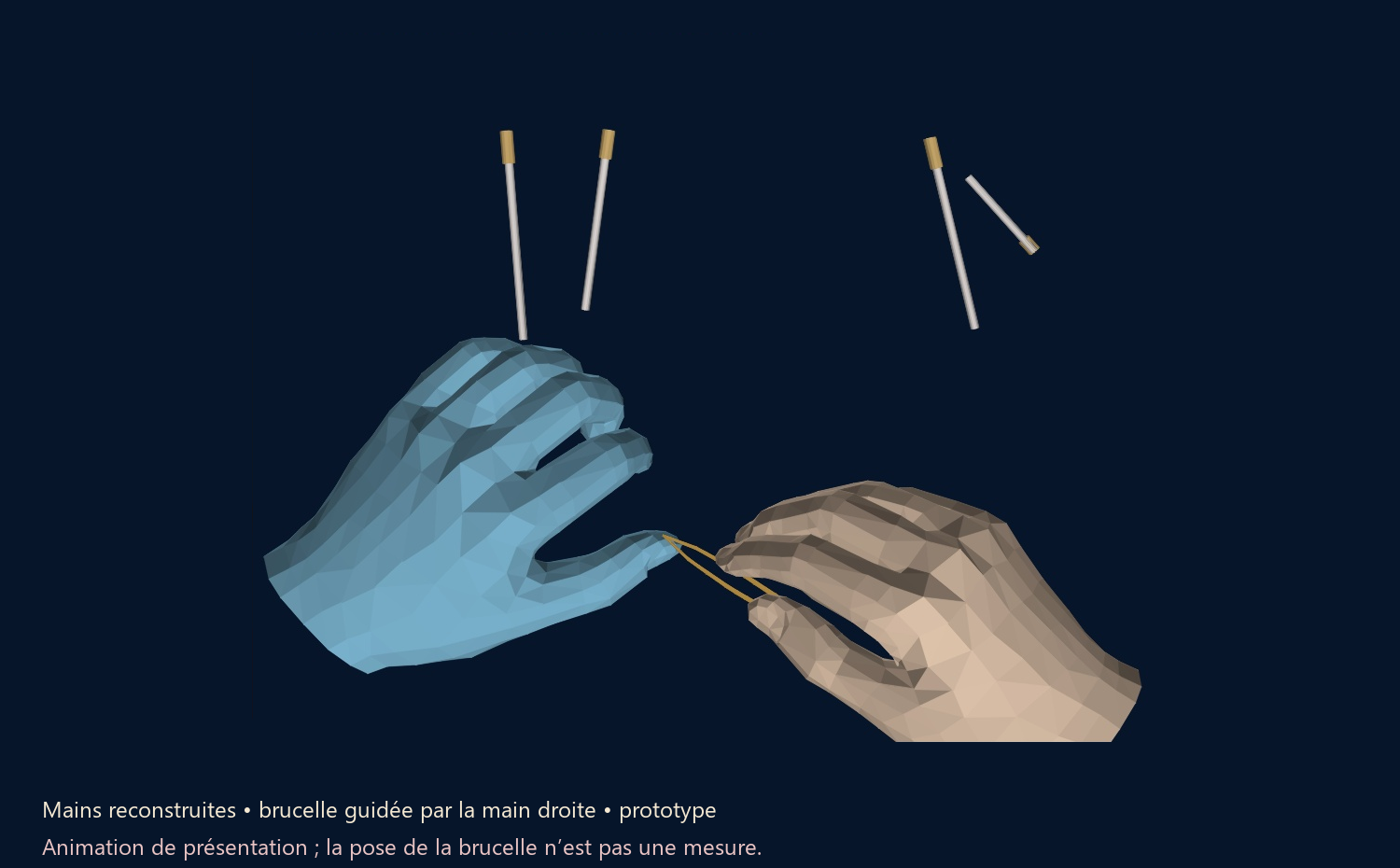
This view combines reconstructed hands with tweezers animated from the right hand. It illustrates how captured movements can help prepare playback and resources for passing on knowledge.
Pose at t = 29.665 s in the source footage, from the same passage as the new multicamera film. Hands from the MANO mesh; presentation tweezers guided by the hand and images. This still is not synchronised with playback and is not a capture inside a VR headset.Video preserves the craft context; 3D representation opens up the possibility of observing the gesture from another angle. The scenario, annotations and trainer validation then give meaning to the data.
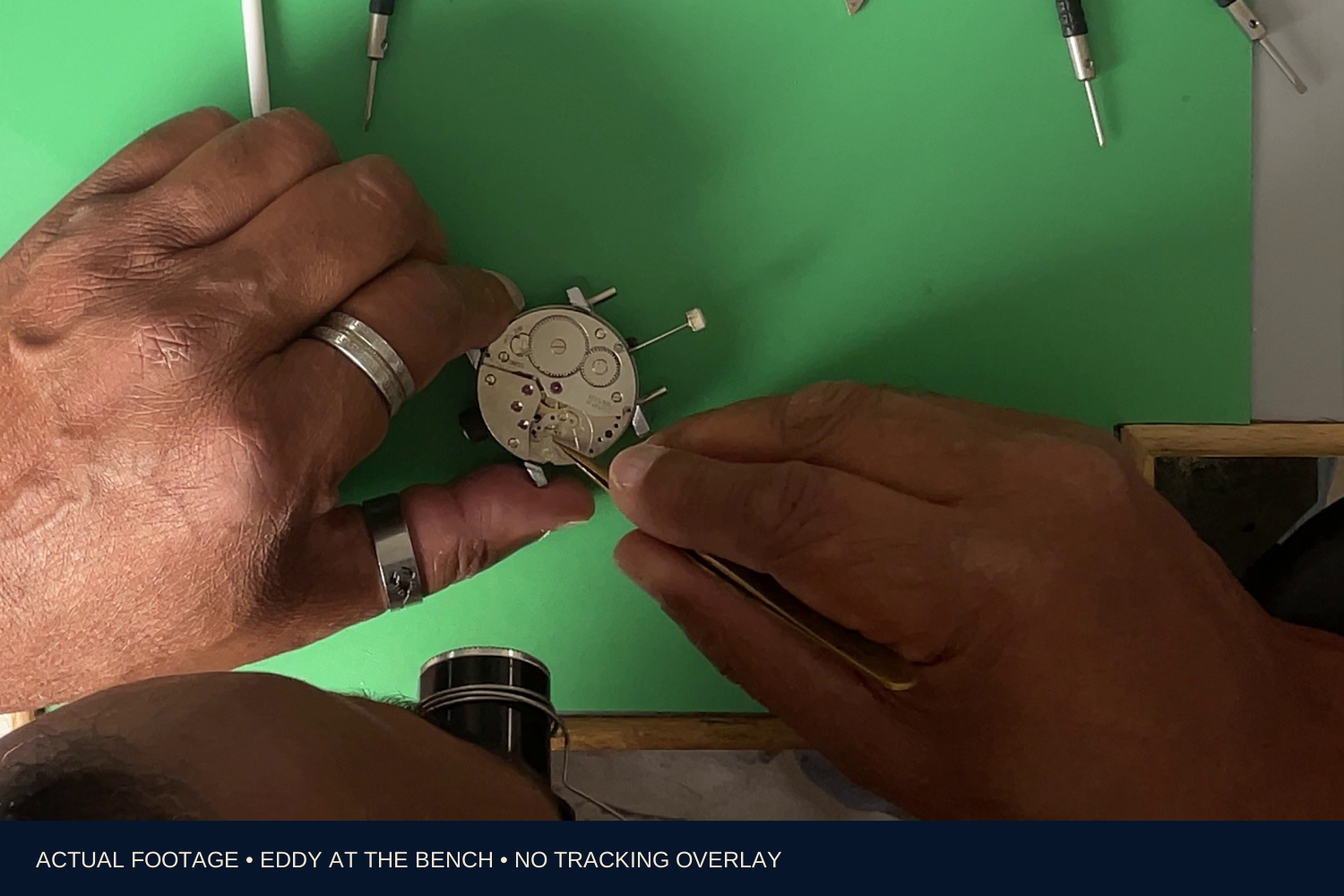
This image preserves the gesture’s context, the watch movement and the tweezers actually held by Eddy. It supports discussion with the trainer without the old detection identifiers and axes.
Actual footage from 5 September 2026 · Frame at t = 29.665 s in the source. No automatic tracking markers are overlaid.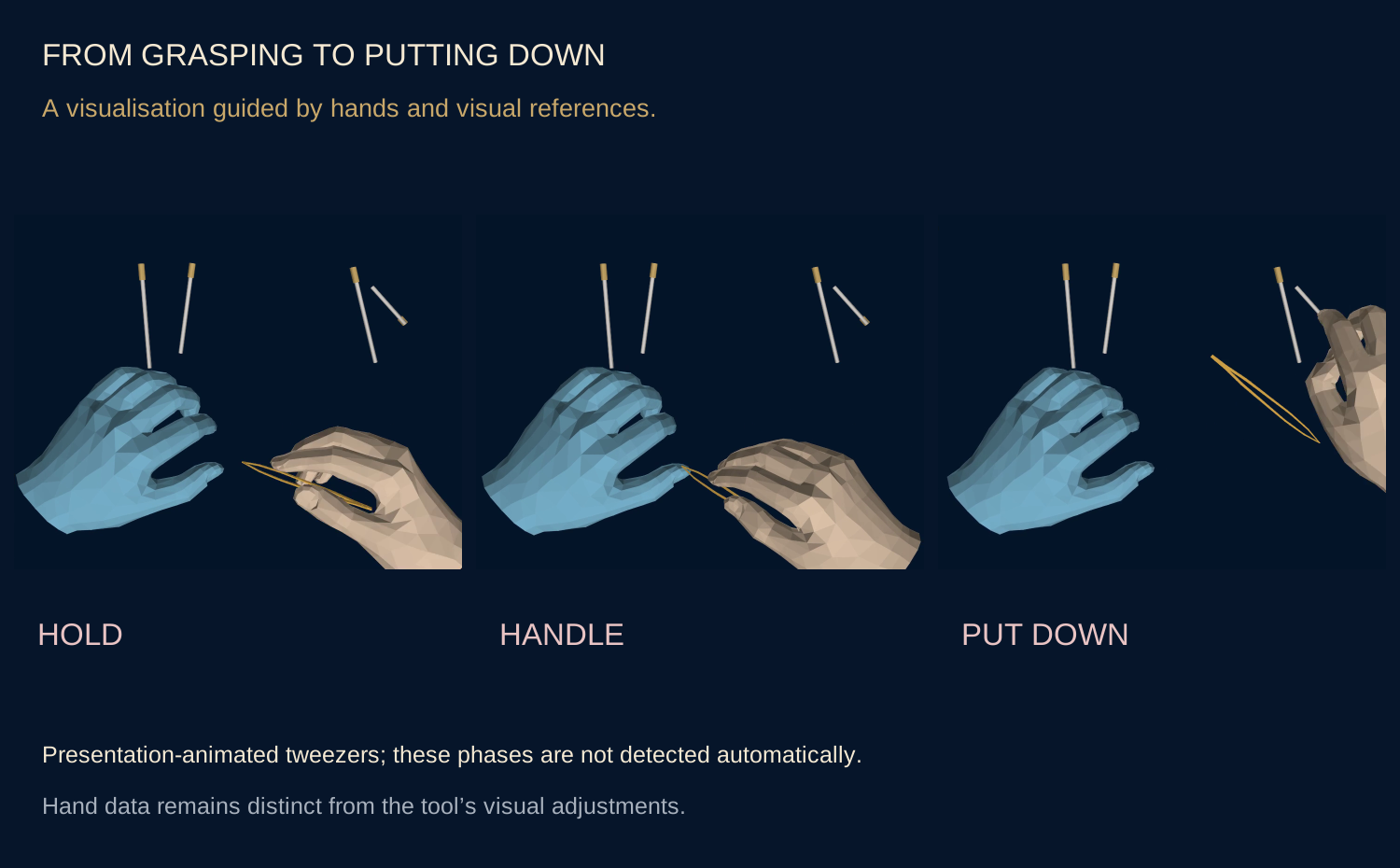
The panel distinguishes grasping, handling and putting down in the guided animation. These phases support discussion of a future learning sequence with the professional; they are not events recognised automatically by the software.
Updated presentation visualisation · Visually guided phases, to annotate and validate with the expert.Observe again. Break it down with the expert. Prepare for reuse. These trials aim to turn a one-off capture into resources that can be discussed, organised by stage and eventually replayed in VR. They complement the trainer’s role and bench practice.
Real footage and presentation visualisations are labelled. The animated tweezers illustrate gesture playback; they demonstrate neither autonomous tool recognition, continuous 3D tracking of the tweezers nor measured learning gains. The client project remains identified as “Grande Maison Horlogère”.
Multicamera footage, recorded motion sessions, review videos and Unity components for replaying hands and tools.
Tracking is interrupted when elements are hidden. Identifying and dividing sequences may require human annotation. Full tool rotation about its axis is not measured.
Connect gestures to tools, stages and craft explanations to prepare resources that trainers can use and enrich.
Research and development prototype. Tracking continuity, accuracy and educational benefits still need evaluation. The VR simulations illustrate a separate area: simulated watchmaking interactions. Explore the VR experiences ↗
Discuss a gesture to pass on ↗